This week I was in Rome, standing in a rented room on Via Flaminia, staring at a train departure time and a loose mental list of monuments I wanted to see before reaching Termini station. I had about three hours, a phone with patchy data, and no patience for juggling Google Maps tabs and travel blog bookmarks. What I needed was one thing: an interactive map with my route, notes on every stop, and a tap-to-navigate button for each leg. Something I could read while standing in front of Bernini’s Ecstasy of Saint Teresa without fumbling through six apps. That thing didn’t exist, so I asked Claude Code to build it with me.
What followed was a conversation that explored half a dozen tools, discarded most of them, and ended up inside Obsidian.
Navigation apps know where to go. Guidebooks know what you’re looking at. Nothing does both.
Google Maps gets you from A to B. It does not tell you that the small church you’re walking past has one of Baroque art’s best sculptures inside. Guidebooks and travel blogs give you that context, but they’re disconnected from your actual position. I wanted a route that says “walk 600 meters southeast on Via della Mercede” and also “the curved facade you see was started by Bernini in 1653.” Both in one place, on my phone, stored in my Obsidian vault so I could reference it later.
What I tried and dropped
Claude Code started by generating waypoints and exporting them in multiple formats: a KML file, a Google Maps URL with all stops in it, and a standalone HTML file with an embedded Leaflet map. Each one looked good for about five minutes.
The HTML file had numbered markers on OpenStreetMap, a dashed polyline connecting twelve stops, and cards below with historical notes and navigation buttons. It looked good on a laptop. On my iPhone, pinch-to-zoom conflicted with page scroll. Every edit meant AirDropping the file again. And the whole thing needed internet to load the Leaflet library and map tiles, which is a problem when you duck into a church with no signal.
Google My Maps was the obvious next try. I already had a map of Rome with saved places. The KML file imported fine, markers appeared, and for a moment it felt solved. Then I hit the wall: My Maps can import points and static lines, but not a directions layer. The directions layer, the one that follows streets and gives walking times, can only be built manually by typing each destination. There is no file upload for routable paths. And even if you build directions by hand, My Maps doesn’t let you attach notes to waypoints. You tap a pin, you get a name and coordinates. No room for “enter the Basilica, it’s free, look for the two Caravaggio paintings in the Cerasi Chapel.”
Apple Maps was worse. Since iOS 16 it supports multi-stop routes, but there is no way to import stops from a file. No KML, no GPX, no GeoJSON. Every stop must be added through the interface. For a twelve-stop tour that keeps changing as you refine it, that’s not a workflow.
Obsidian’s Map View plugin takes a different approach from Leaflet: it reads coordinates from note frontmatter and plots them on a global map of your vault. Good concept for a travel journal where each note is a place. Bad fit for a walking tour. Each stop needs its own note, so twelve stops means twelve files. The plugin doesn’t draw route lines between points. It doesn’t support numbered markers. It has no concept of “next stop” or navigation links. It’s built for exploring a collection of places, not for following an itinerary.
One note with everything
The solution that worked was Obsidian with the Leaflet plugin. The whole tour lives in a single note.
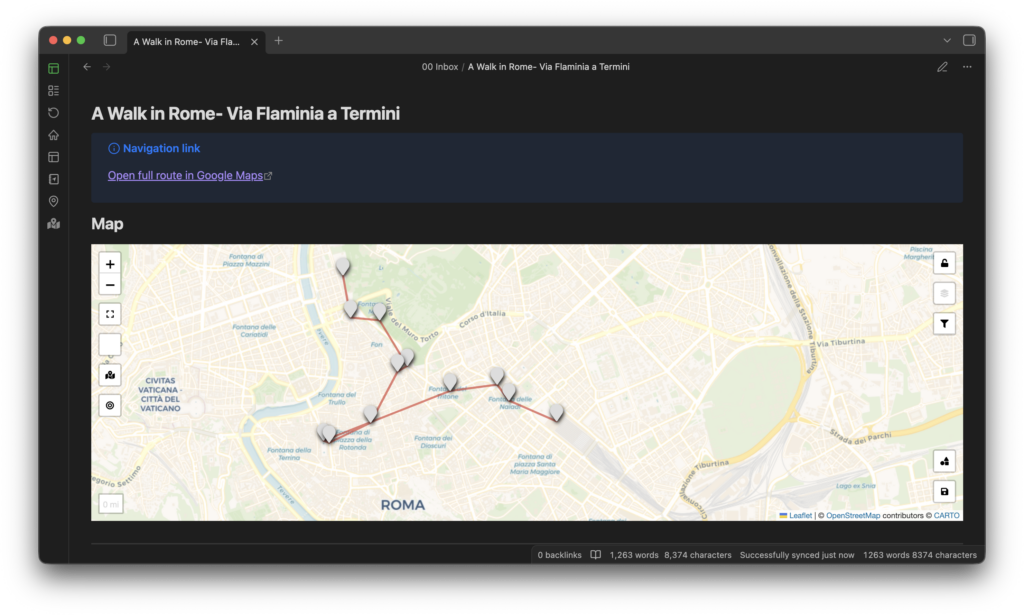
At the top, a leaflet code block renders an interactive map with twelve markers. Start is green, destination is dark, everything else is blue. Each marker links to the corresponding heading further down. A GeoJSON overlay draws a dashed red line connecting all stops in order so you can see the shape of the route. The GeoJSON is a separate file in the same folder, referenced from the code block with one line. Route geometry is data, the note is content, and keeping them apart makes both easier to change.
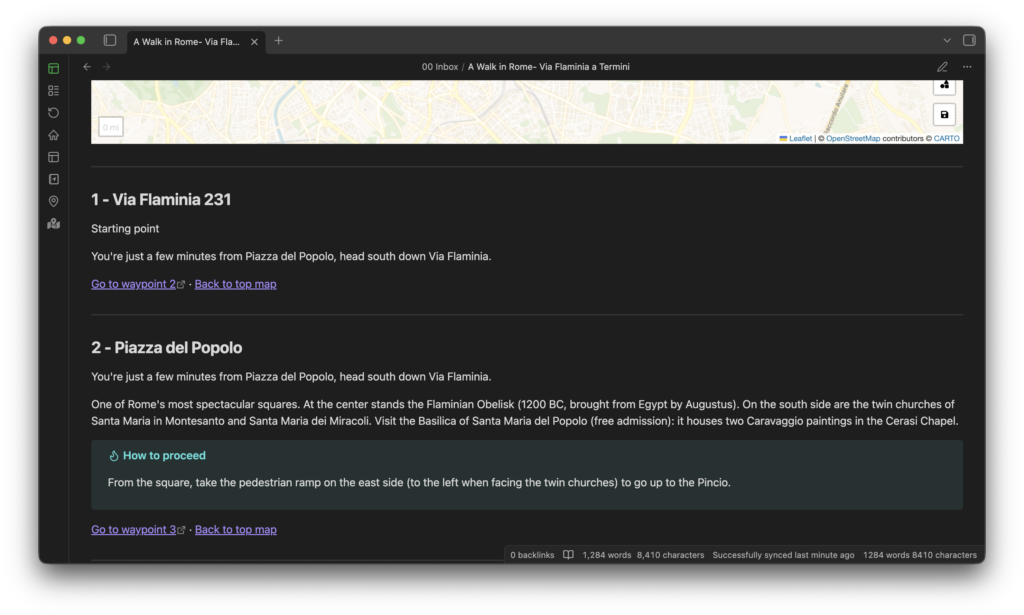
Below the map, each stop has a heading with a number and place name, a subtitle with what to see, a paragraph of historical context, and where useful, an Obsidian callout with practical directions to the next stop: “take the pedestrian ramp on the east side of the piazza.” Two links close each section. One opens Google Maps with walking directions to the next stop, coordinates pre-filled. The other jumps back to the map at the top of the note.
The loop while walking is simple. Arrive at a stop, read the description, maybe step inside a church. Tap the Google Maps link, follow the blue line to the next stop, come back to the note. The back-to-map link lets you check the full route whenever you want. One file, works on your phone through Obsidian mobile. The only external dependency is Google Maps for turn-by-turn, and you already have that.
The route covers 6.5 kilometers. From Via Flaminia down to Piazza del Popolo, up to the Pincio terrace for the view, along the ridge to Trinita dei Monti, down the Spanish Steps, then south to the Camera dei Deputati at Palazzo Montecitorio, the Senato at Palazzo Madama, and Piazza Navona. Back northeast to Piazza Barberini, into Santa Maria della Vittoria for Bernini’s most intense sculpture, across Piazza della Repubblica with its repurposed Roman baths, and into Termini. Two hours fifteen if you walk without stopping, though the whole point is that you don’t.
How the conversation went
I didn’t plan any of this in advance. I opened Claude Code and said something like “I’m in Rome, I need a walking tour from here to the station, help me plan it.” The first response was a route with nine stops and a table of what to see at each. From there we tried exports: KML for Google My Maps, a .url shortcut for iPhone, a Google Maps link with waypoints in the URL, the HTML file. Each format fixed something and broke something else. “The HTML works but pinch-to-zoom is broken.” Fixed. “Can I import this into My Maps as a walking route?” No, here’s why. “Apple Maps?” Worse. “Obsidian?” Yes, here’s how.
The part that surprised me was when I asked about numbered markers on the Leaflet plugin. Claude Code tried a custom icon approach, found it didn’t work with the plugin’s inline syntax, then went and read the actual plugin documentation on GitHub. Turns out custom markers must be configured in the plugin settings, not in the code block. The honest answer was: possible but tedious, twelve marker types to create by hand. I went back to default markers. That kind of loop, trying something, discovering why it fails, adjusting, is what kept the whole project to a couple of hours instead of a weekend of googling.
Next: a “passeggiate” skill
I want to turn this into a reusable Claude Code skill. Type /passeggiate, answer three questions (where are you, where do you need to arrive, how much time), and get an Obsidian note with the map, the GeoJSON route, the annotations, and the navigation links. Same structure, different city. Florence, Lisbon, Kyoto, wherever. The route content changes, the format stays the same. That’s what skills are for.
Wrapping up
Most travel tools force a choice between navigation and context. Obsidian’s Leaflet plugin with Google Maps links gets you both in one note.
What worked for me:
- Put everything in one file. Map, route, history, directions, tips. No switching between apps.
- Let each tool do what it’s good at. Obsidian holds the content and renders the map. Google Maps handles turn-by-turn. Trying to force one tool to do both is where every other approach failed.
- Start with the problem, not a spec. The Obsidian solution was the fifth thing I tried. I found it by ruling out the other four, not by guessing right on the first attempt.
- If a workflow is repeatable, package it. A skill that generates these notes for any city would save all the iteration I did manually.
If you use Obsidian and travel, install the Leaflet plugin and try this on your next walk. The setup takes ten minutes. The walk is the good part.