Why use a portable keyboard
I’ve been using portable keyboards for quite some time now — mostly when I work on my iPad, but occasionally even with my iPhone. Typing on a virtual keyboard, even one as large as the iPad’s 11-inch version, feels quite uncomfortable to me, especially when I’m writing longer texts.
Over the years, I’ve tried several keyboards. Some of them are still in use, while others are buried somewhere in a drawer, long forgotten.
The ideal portable keyboard, however, doesn’t exist yet. Each one I’ve tested has its own strengths and weaknesses. In this post, I’ll walk you through the ones I’ve used, with a short introduction and my thoughts on their pros and cons. In the end, I’ll try to sum it up — to figure out which one is the least flawed, and what my “perfect” mobile keyboard would actually look like.
Apple Magic keyboard (discontinued)
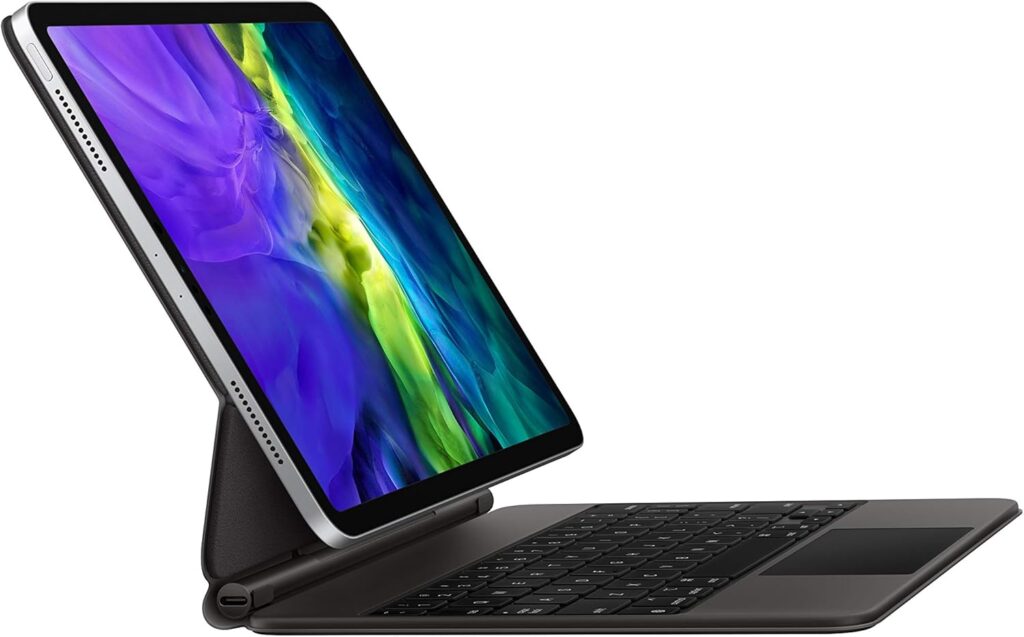
PROs
- The keyboard is very comfortable to use, it feels like using a laptop;
- Integrated trackpad;
- It’s backlit;
- It has a USB charging port.
CONs
- Inconvenient when you don’t want to use it: if you detach the iPad, it no longer has a cover;
- Difficult to use on your lap, it often feels unbalanced.
Logitech Keys To Go 2
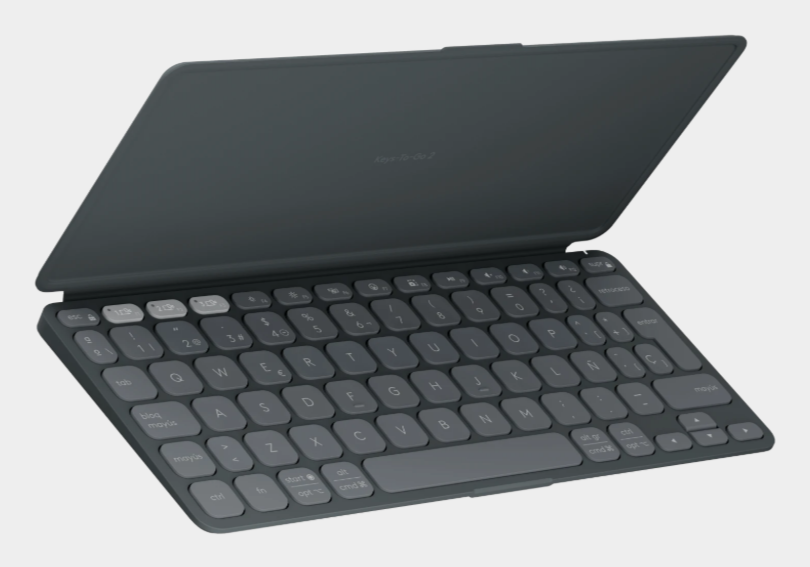
PROs
- Compact;
- Comfortable for writing;
- Supports multiple devices.
CONs
- It’s not backlit;
- Non-rechargeable battery in a format that’s not always easy to find;
- Awkward to open;
- It doesn’t have a trackpad.
Microsoft Wireless Universal Foldable Keyboard (discontinued)
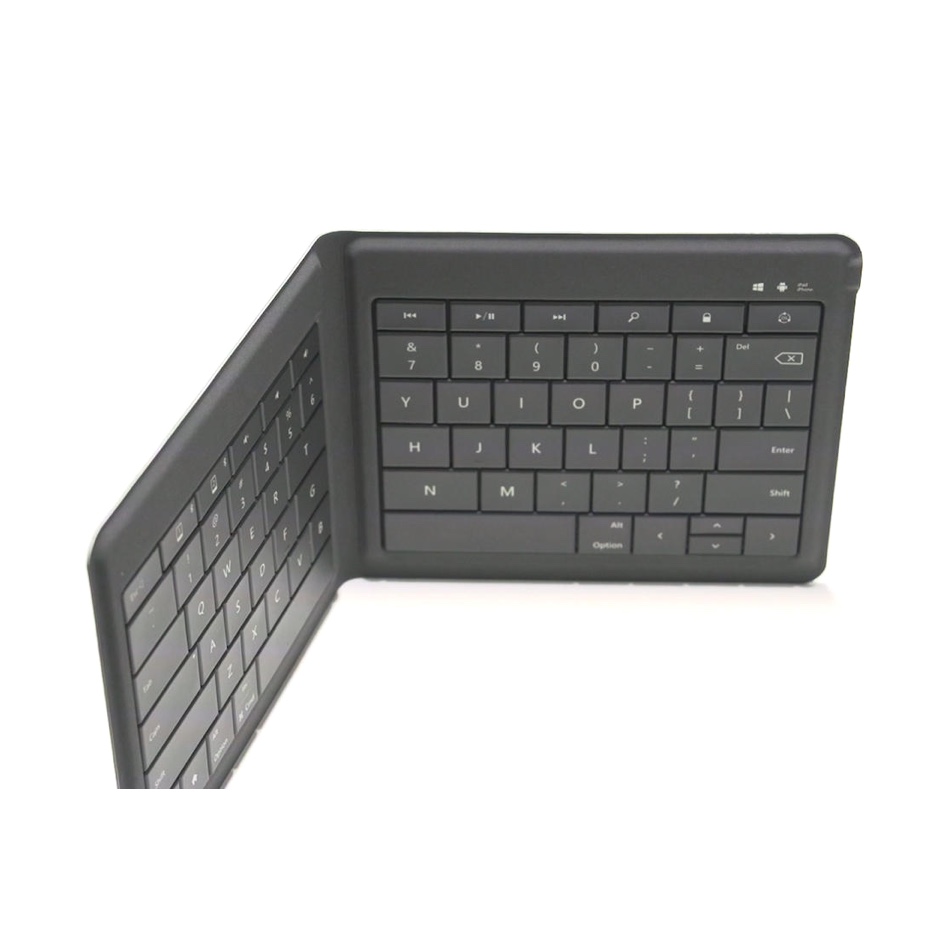
PROs
- Compact and extremely portable, it fits in your back jeans pocket;
- Rechargeable batteries;
- Supports multiple devices.
CONs
- It charges via Micro-USB;
- It’s not backlit;
- It doesn’t have a trackpad.
ProArc KX01 TP
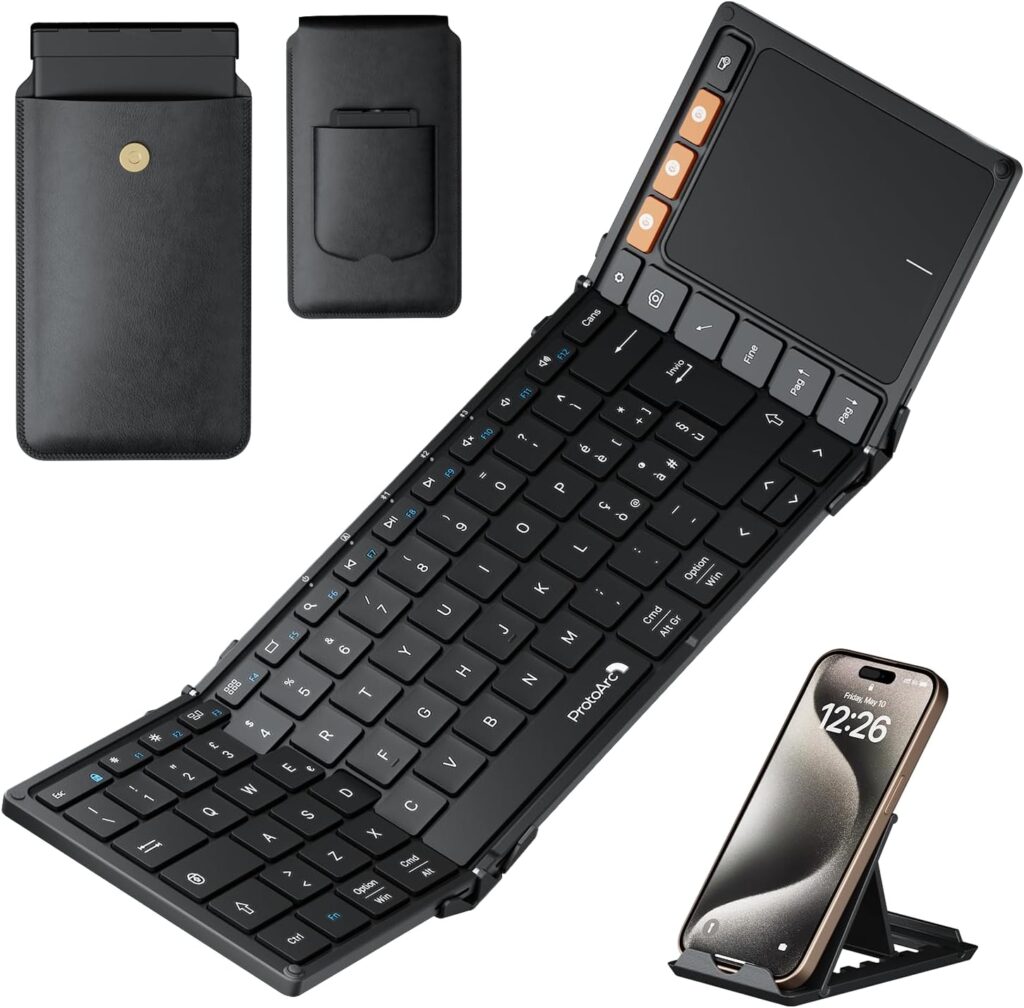
PROs
- Very comfortable for typing, identical dimensions to a desktop keyboard
- Excellent build quality;
- Integrated trackpad;
- USB-C.
CONs
- Molto grande ed ingombrante
- Non è retroilluminata
Final considerations
The keyboard I’m most comfortable with is the Microsoft keyboard (now unfortunately discontinued): when folded, it fits in a jeans pocket or jacket pocket. It’s very convenient for typing, both for the key travel and the size. Too bad it’s not backlit and has a Micro-USB port (though in the end I just carry a USB-C/Micro-USB adapter that costs pennies and easily solve the problem).
In second place is the ProArc KX01 TP: size-wise it’s a standard keyboard, and comfort is at its peak. Then with the trackpad, it’s ideal for iOS 26’s new window manager. It’s really a shame about the dimensions being a bit too bulky (but then again, there are no alternatives if you want that kind of comfort) and the fact that it’s not backlit.
Third place for the Logitech Keys To Go 2: comfortable for typing but the awkward opening mechanism and non-rechargeable battery that forces me to carry a spare battery in my EDC kit really hurt its ranking.
Last place goes to the Apple keyboard, which easily ranks as one of my worst purchases ever. It forces you to always use the iPad with the keyboard because as soon as you detach it, you realize you have two problems: first, how to protect the iPad, and second, what to do with the keyboard that remains bulky and cumbersome. Moreover, it’s also the only one tied to a specific iPad model that will become a nice unusable paperweight as soon as I upgrade.
At the end of the day, the perfect keyboard for me and my iPad doesn’t exist yet.
I should mention though that I haven’t tried the Logitech Combo Touch for iPad Pro: it costs quite a bit and I’m waiting to upgrade my iPad Pro (I have a second-generation Pro), but on paper it seems to have everything I need: it can fold back behind the iPad when you don’t want to use it, it’s backlit and has a nice trackpad. I need to figure out how to attach the Apple Pencil to avoid losing it, but it really seems like an excellent candidate to solve all my problems.
It will definitely be the one I buy when I change my iPad.